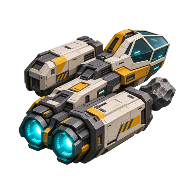
What you can play in the Main Sequence demo
The free Steam demo lets you build a station in your starting system. The October 19 Next Fest update extended research beyond the original Slipstream Drive milestone and added online co-op.
Install the demo on Steam
Open the Main Sequence Demo store page and install the free Windows demo. Launch Main Sequence Demo from your library. It has its own Steam entry, separate from the paid Early Access game and the September playtest.
What comes after the Slipstream Drive?
The original demo covers the first two technology tiers. Mine and refine resources, build a station, and upgrade your ship. Researching the Slipstream Drive opens up travel around your starting star system. That's the endpoint described in the original demo overview.
If you've reached the drive, open the research tree again. The October update added Electromagnetic Science, more places to explore, and ship and station equipment including the Shield Generator Mk. 1. It also brought over the revised world generation and tech tree from September's playtest. The developer specifically named these additions for the public demo. September's separate, time-limited playtest went further, opening Quantum Science and travel to other stars. October demo changes · September playtest scope.
Can two friends play the demo together?
Yes, co-op was added in October. The demo store description still calls it single-player, which describes the earlier release. For a quick check on your installed build, both players should update and launch Main Sequence Demo. Have one player open a world and the other try to join it. Meet by the same asteroid and have one ship collect fragments while the other watches. Seeing that change from both ships tells you more than finding an invite button. If one player owns the full game, launch the demo on that machine for this test too. Developer's co-op announcement. For the paid game, see Early Access multiplayer.
Continue your demo station in Early Access
Mythwright confirmed that demo progress carries over. Save before leaving the demo, then look for that world when loading the full game. Check your pilot, ship, and a familiar production line before saving over anything. One player who chose New Player on loading a demo world received a new pilot and scout ship while their old ship was still there. To keep flying the original ship, select your existing pilot if the game offers that choice. Publisher's carryover announcement · Player's account of the pilot choice.
If the right world loads but items stop at a storage container, try switching the affected container's output port off and back on. The developer identified this as a migration issue, so test one port before rebuilding the conveyor line. Developer's reply on imported stations.